Free Online Metronome that Scores Your Timing
Play along. We'll show you how accurate you are.
Main controls
Mic input
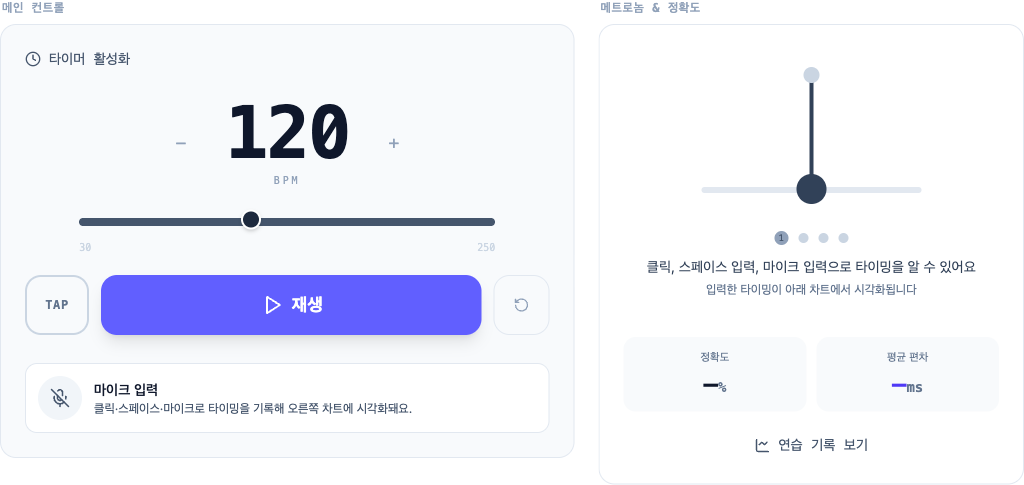
Tap, spacebar, or mic records your timing and visualizes it on the chart.
Metronome & accuracy
You can check timing with clicks, space input, and microphone input
Your input timing is visualized in the chart below
Real-time metronome timing visualization
Detailed settings
Presets
Training modes
Practice modes layered on the metronome
Accuracy scoring
When you want to see in milliseconds whether you drag or rush. Always on — you only pick the tolerance.
Changing the difficulty resets the current session.
Silent bars
When you want to hold the beat after the sound drops out.
Tempo change
When you want to start comfortable and push faster over time.
Hit play to start a click between 30 and 250 BPM. Turn on the mic and the chart shows whether each tap lands ahead or behind the beat in milliseconds, with a live accuracy score. Adjust time signature, accent pattern, and subdivisions to practice drums, guitar, piano, or vocals. Runs in the browser — no install, no signup.
Play a metronome at a set BPM
Choose a BPM for tempo details and practice tips, then press play to practice at that speed.
What this online metronome does
A free metronome that runs in the browser with no install and no signup. Everything below, from basic click playback to timing scores, is available without any setup.
Tempo and time signature
Set the tempo anywhere from 30 to 250 BPM with the slider or by typing it in. A bar can hold 2 to 16 beats, and subdivisions cover quarter, eighth, sixteenth, and thirty-second notes plus triplets and swing or shuffle eighths. Accents toggle on and off beat by beat, and if you don't know a song's tempo, tap it out with tap tempo.
Click sounds
Choose from eight sounds (click, beep, woodblock, stick, rimshot, hi-hat, cowbell, and claves) and adjust the volume. Picking a tone that cuts through your instrument makes the beat easier to follow.
Practice modes
Progressive tempo raises the click from a starting BPM to a target BPM for you, and you decide how many BPM to add and how often. Silent bars alternate between audible and silent bars, so you can check whether your tempo holds when the click drops out.
Timing scores and history
Tap along with the spacebar, the screen, or mic input, and the chart shows how many milliseconds early or late each hit landed. You get Perfect, Great, Good, and Miss judgments alongside your average deviation, and sessions are saved in your browser so you can revisit how your accuracy changed.
Frequently Asked Questions
Do I need to install an app?▼
No install needed — it runs directly in the browser.
Can I use it without a microphone?▼
You can play the metronome and score your timing by tapping the screen or pressing the spacebar without a microphone. Microphone permission is only needed to detect claps or instrument sounds.
What's the BPM range?▼
30 to 250 BPM. You can adjust it with the slider or type it in.
No sound on mobile — what's wrong?▼
On mobile, silent or vibrate mode can block the metronome sound. Switch to ringer mode and try again.
Is it free?▼
You can use it without signing up or paying. Running costs are covered by the ads shown on the page.
Does it work on a phone or tablet?▼
It runs in mobile browsers as well. Instead of the spacebar, tap the screen to enter each beat.
Can I change the time signature and subdivision?▼
You can set 2 to 16 beats per bar, and pick quarter, eighth, sixteenth, or thirty-second notes, triplets, or swing and shuffle eighths. Accents can be toggled on or off beat by beat.
Does it keep a practice record?▼
Accuracy and average deviation from each session are stored in your browser, so the practice history page can chart how your accuracy changes over time.
Here's what's different
Timing scored
Play along and see how accurate you were, down to the millisecond. You can track changes in your practice results visually.
Real-time chart
See whether you're rushing or dragging on a live chart — no need to record and listen back to check.
Build your own rhythms
Combine eighth notes, rests, and triplets to create any pattern you want. Practice things you won't find in any textbook.
You might also like
Ads support free service